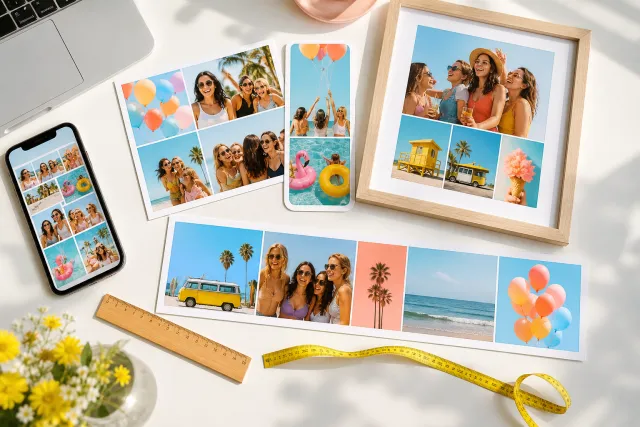
How many photos should be in a collage? The best layout for 2 to 12 photos
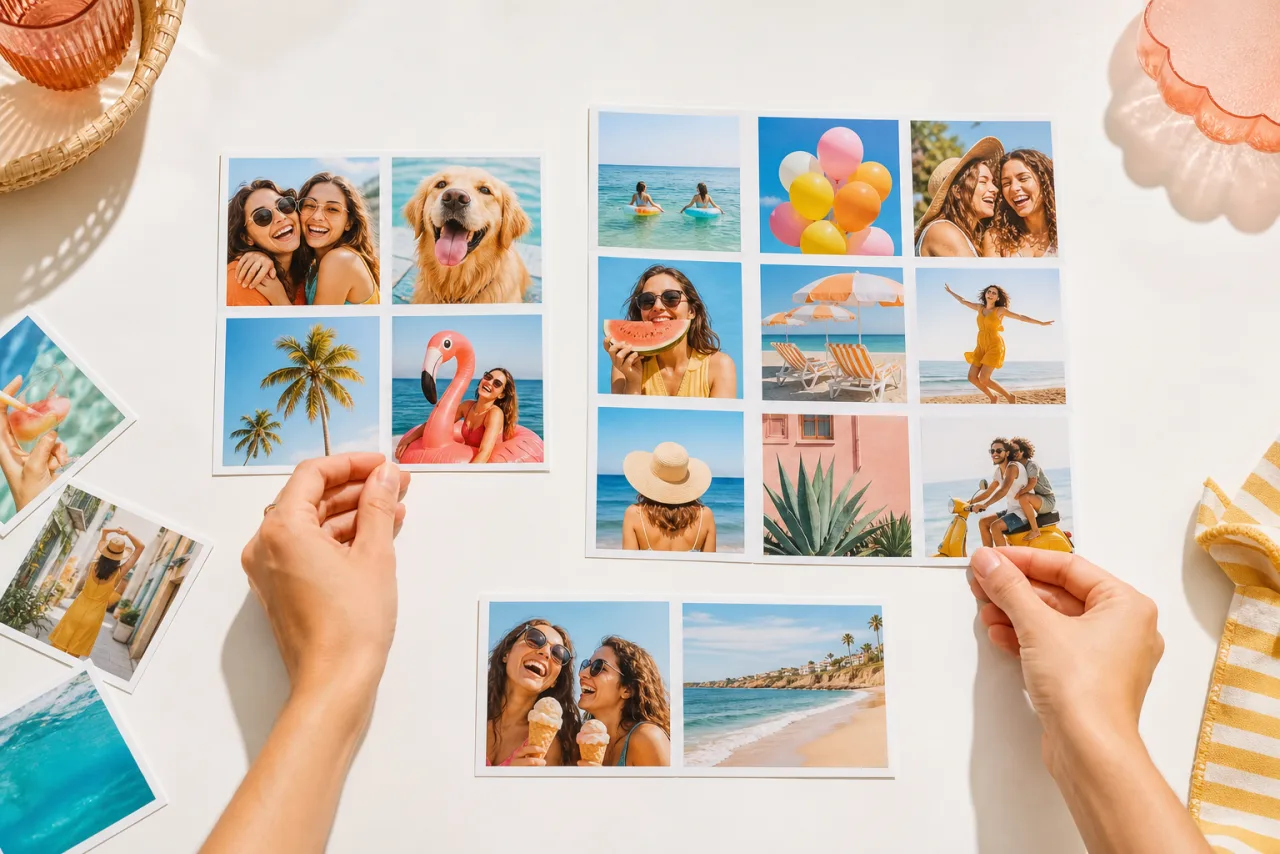
Ask five people and you get five numbers: three to six, up to nine, ten to twenty. They are all right, for different collages. The number that works is the one where the smallest cell is still big enough to show what matters. Here is how to find it, and the layout that goes with each count.
1. The short answer
The right number is set by the destination, because the destination sets the size of each cell.
| Where the collage goes | Photos | Why |
|---|---|---|
| Instagram or Facebook post (1080 x 1350) | 2 to 6 | Seen on a phone; six cells of about 355 pixels are the limit for faces |
| Story or reel (1080 x 1920) | 2 to 4 | Stacked rows; the top and bottom bands are covered by the interface |
| Facebook cover (1640 x 624) | 3 to 5 | A wide strip of landscape cells |
| Phone wallpaper | 4 to 9 | Seen every day at full screen; keep the lower half for the favorites |
| 8 x 10 print (2400 x 3000) | 6 to 12 | Held in the hand; twelve cells are still about 2.7 x 2.5 inches each |
| 16 x 20 print and larger | 12 to 25 | Seen from a few feet; a 5x5 grid on a 24 x 36 poster gives 4 x 7 inch cells |
Below, the layouts that work best for each count, with real examples. If you would rather not decide, auto collage counts your photos, reads their orientation, and proposes several layouts that fit; you pick one.
2. The rule that decides: the smallest cell
A collage fails when one cell is too small for what is in it. A landscape with a horizon can shrink to a thumbnail and still read; a face needs about 250 pixels on a phone screen to be recognized at a glance, and a group of three faces needs twice that.
On a 1080 pixel wide canvas, the math is short:
| Grid | Photos | Cell width on a 1080 px post | Verdict for faces |
|---|---|---|---|
| 2 columns | 2 or 4 | about 535 px | Comfortable, even for groups |
| 3 columns | 3, 6 or 9 | about 355 px | Fine for one or two faces per cell |
| 4 columns | 4, 8 or 12 | about 265 px | Only for single faces or scenery |
| 5 columns | 10 to 25 | about 210 px | Thumbnails: scenery, colors, a print seen from afar |
So before counting photos, look at the one with the most people in it. That photo decides the smallest cell you can afford, and the smallest cell decides the maximum count. The same logic applies to prints: divide the paper size by the number of columns and ask whether you would frame a photo that small.
Let Auto lay them out, then fix what you want.
Free, no watermark, and your photos stay on your device.
Open StudioCollage3. Two photos: the comparison
Two photos is not a small collage, it is a statement: before and after, then and now, her side and his side. The two cells should be the same size and the same framing, so the eye compares the content instead of the layout.




Side by side for portraits, stacked for landscapes. The gap between the two is the only design decision left.
Portraits go side by side, landscapes go one above the other, so that neither gets cropped. A thin white gap reads as a diptych; no gap reads as one split image. Our side by side guide covers the details, including how to do it on each phone.
4. Three photos: one leads
Three equal cells in a row is the triptych: it works when the three photos tell a sequence (arrival, the view, the dinner). When one photo is clearly the best, give it a bigger cell and let the other two support it.




Triptych for a sequence, big and two for a hero shot. Three portraits fit three columns; a landscape needs the big cell.
5. Four photos: the grid everyone knows
The 2x2 grid is the most used collage layout in the world, and it deserves it: four equal cells of 535 pixels on a post, square, no hierarchy, no crop if your photos are roughly square. It is the right choice for four moments of equal weight, a set of products, or the four seasons.




The 2x2 grid, and the tall-and-three layout for one portrait plus three details.
With a portrait among the four, the 2x2 grid crops it. Use a layout with one tall cell on the left and three stacked on the right instead; the portrait keeps its height and the three small ones become details. The 4-photo templates have both.
6. Five and six photos: the magazine page
Five is where collages start to look designed. The magazine layout puts one wide photo on top and a row of small ones below, like a feature page; the mosaic puts one big cell in a corner and fills the rest with squares. Both give a hero and a supporting cast.


Magazine and mosaic, five photos each. The big cell takes the landscape; the small ones take the details.
Six photos fit a 3x2 grid with cells of about 355 pixels: still fine for faces, and the last count that works comfortably on a phone screen without a hero cell. Past six, either give up equal cells or give up the single post.
A 3x2 grid of six, and a wide hero over four small cells. The second one is the usual answer for a wedding or a birthday.
7. Eight, nine and twelve photos: the print zone
From eight photos up, the cells on a phone-sized post are under 270 pixels and faces turn into dots. These counts belong to prints, wallpapers and large screens, where the collage is seen bigger or closer.
Nine in a 3x3 grid (the Instagram profile look), twelve in a 4x3 grid (a month per cell for a year in review).
- Eight: a 4x2 grid for a wide print or a Facebook cover, or a 2x4 grid for a story.
- Nine: the 3x3 grid. On an 8 x 10 print each cell is about 2.6 inches wide; on a phone wallpaper it fills the screen nicely with the clock over the top row.
- Twelve: the 4x3 grid, the natural layout for a year (one photo a month) or a family poster. Print it at 11 x 14 or larger.
For a print, check the math from the sizes guide: an 8 x 10 print at 300 DPI is 2400 x 3000 pixels, so a 3x3 grid gives each photo about 780 x 980 pixels, plenty for a sharp result. See photo collage sizes for every print size.
8. More than twelve: split, carousel or poster
Past twelve, one collage stops being a collage and becomes a contact sheet. Three ways out, in order of preference:
- Split by theme. A trip becomes three collages: the city, the beach, the food. Each one gets a hero cell and five or six photos, and each one is worth posting.
- Make a carousel. On Instagram, up to twenty slides of 4:5 collages, each with four to six photos, show a hundred photos without a single thumbnail.
- Go to paper. A 24 x 36 poster holds a 5x5 grid with cells of 4 x 7 inches. Twenty-five photos look right there, because the poster is seen from across the room.
Whatever the count, fill every cell. An empty cell reads as a mistake, not as negative space. If a layout has one cell too many, change the layout rather than leaving a hole.
9. When you would rather not count
StudioCollage counts for you. Drop your photos, press Auto, and the generator reads how many there are and which way they face, then proposes several layouts where every photo has a cell of the right shape and no face is cut. Choose the destination first (post, story, print) and the proposals respect the cell-size rule above for that destination. You can still move, swap or resize any cell afterwards.
Frequently asked questions
How many photos should I put in an Instagram collage?
Two to six. On a 1080 pixel wide post, a 3x2 grid gives each photo about 355 pixels, which is the smallest size where a face still reads on a phone. Past six, switch to a carousel or make two collages.
Is 25 photos too many for a collage?
For a screen, yes: each photo would be a thumbnail. For a 24 x 36 poster printed at 150 DPI, 25 photos in a 5x5 grid gives each one about 700 x 1000 pixels, which prints well. The number depends on the size of the output, not on taste.
How many photos fit on a 4 x 6 print?
Two or three. A 4 x 6 print at 300 DPI is 1200 x 1800 pixels; a 2x2 grid would give each photo 600 x 900 pixels, sharp but only 2 x 3 inches on paper. Keep small prints to two or three photos.
Does an odd number of photos look worse?
No. Odd counts avoid symmetry, which often looks more designed: one large photo with two or four small ones is the classic magazine layout. Even counts suit strict grids. Both work; what matters is that every cell is filled.
What if my photos have different orientations?
Use a layout with cells that match: tall cells for portraits, wide cells for landscapes. A magazine or mosaic layout mixes both; a plain square grid forces a crop on every photo that is not square.