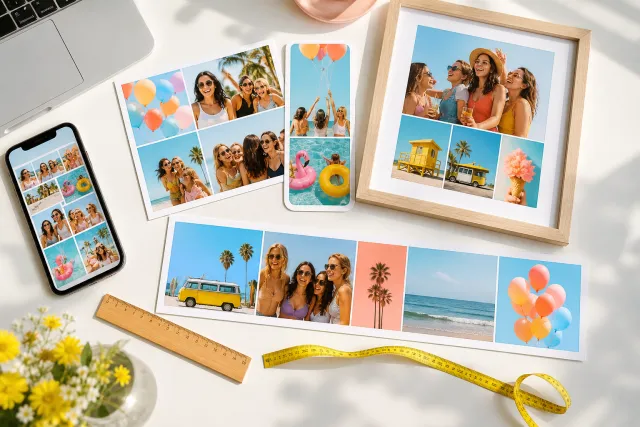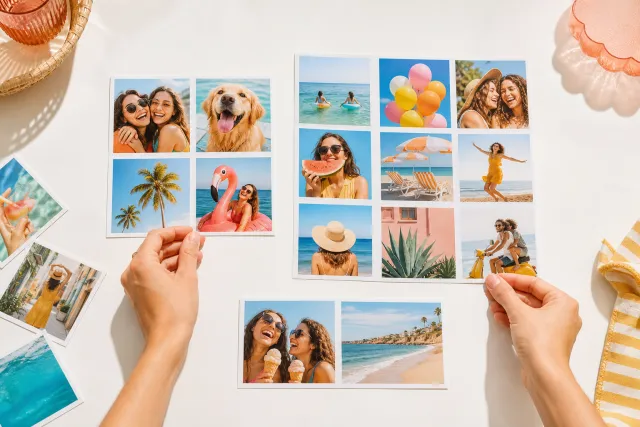
4 photo collage templates
Four is the count most collages should be and most are not. It is the largest number where every photo is still big enough to be looked at rather than glanced at.
Square post 1080x1080
Portrait post 1080x1350
A4 print 2480x3508
Choosing by count sounds mechanical and is actually the most useful way in, because the number decides what is possible before anything else does. Four photos give you real choices: a grid, a hero, a sequence, a comparison. Nine give you a grid and nothing else. What follows is what four can do, and which arrangement suits which set of four.













Made with StudioCollage
Every collage below was made in the editor itself, at full resolution. Open one to start from it.
 Open in the editor
 Open in the editor
 Open in the editor
 Open in the editor
 Open in the editor
 Open in the editor
 Open in the editor
 Open in the editor
 Open in the editor
 Open in the editor
 Open in the editor
 Open in the editor
 Open in the editor
 Open in the editor
 Open in the editor
 Open in the editor
 Open in the editor
 Open in the editor
 Open in the editor
 Open in the editor
 Open in the editor
 Open in the editor
 Open in the editor
 Open in the editor
 Open in the editor
 Open in the editor
 Open in the editor
 Open in the editor
 Open in the editor
 Open in the editor
 Open in the editor
 Open in the editor
 Open in the editor
 Open in the editor
 Open in the editor
 Open in the editor
 Open in the editor
 Open in the editor
 Open in the editor
 Open in the editor
1. The four arrangements, and when each one is right
Every four photo collage is one of these. The difference between them is not decoration, it is what they say about the photos.
| Arrangement | Says | Use when |
|---|---|---|
| 2 x 2 grid | These four are equals | Four moments of the same weight, or four of the same subject |
| Hero and three | This one, plus context | One photo is clearly the best and the others explain it |
| Strip of four | This happened, in order | A sequence: before, during, after, result |
| Two over two, uneven | Two pairs | Two subjects, two photos each. A comparison, or two people |
Picking the wrong one is not fatal but it is legible: a 2x2 of one great photo and three weak ones reads as four weak photos, because the grid insists they are equal.
2. Why four rather than six or nine
The number is not a matter of taste, it is a matter of how big a face ends up.
On a phone, a collage occupies about 400 px of screen width. Split four ways, each cell is roughly 200 px across, and a face inside one is around 60 px: recognisable, and an expression still reads. Split nine ways, the cell is 130 px and the face about 35 px, which is the size of a fingernail. Everything that made the photo worth choosing is gone.
So the honest rule is: four for a screen, more only for paper. A 20 x 30 cm print at nine cells still gives each face a couple of centimetres, which works. The same collage on a phone does not.
The other reason to prefer four: you probably do not have nine good photos. Most people have three or four they would show someone, and five they are including out of completeness. Those five are what makes a collage look like a phone dump.
3. Choosing which four
The hardest part, and there is a method that works better than picking favourites.
- Pick the best one first and set it aside. That is your hero, whether or not you use a hero layout.
- Then pick three that are different from it, not three that are also good. A different distance, a different subject, a different moment. Four excellent close portraits make a worse collage than one portrait, one wide shot, one detail and one from behind.
- Check for repeats. Two photos of the same thing taken seconds apart will always look like an accident, even when both are good.
Variety of framing is what makes four photos feel like a story rather than a contact sheet. It matters more than the quality of photos two, three and four.
4. The other counts
Four is a default, not a law.
Two is a comparison, and nothing else. Before and after, then and now, two people. It is the strongest collage there is because there is nothing to look past, and the weakest choice when the two photos are not actually related.
Three is a sequence or a hero with two supports. Odd numbers resist symmetry, so a three photo collage looks composed rather than laid out.
Six is the last count that survives a phone screen, and only with even cells. A hero and five will make the five unreadable.
Nine and twelve are for print, or for a grid where the repetition is the point: a photo a month, a year of one child, the same view through four seasons.
The full breakdown with the layout for each count is in how many photos should be in a collage.
5. Make one
Any template above opens with four cells ready. Drop your photos in and drag them between cells: with only four, trying all the arrangements takes about ten seconds and one of them will be obviously better than the others.
If you are not sure which four to use, drop in eight and press Auto. It scores them and gives the sharpest the biggest cells, which is a reasonable second opinion on which ones are actually the good ones.
Questions about 4 photos collages
What is the best layout for 4 photos?
A 2x2 grid when the four are of equal weight, and a hero with three when one is clearly better than the rest. A strip of four if they are a sequence. The grid says the four are equals, so using it for one great photo and three weak ones makes all four look weak.
Is four photos enough for a collage?
It is usually the right number rather than the minimum. Four is the largest count where each photo is still big enough to be looked at on a phone: at nine, a face inside a cell is about the size of a fingernail and everything that made the photo worth choosing is lost.
How do I choose which four photos?
Pick the best one first, then pick three that are DIFFERENT from it rather than three that are also good. A different distance, a different subject, a different moment. Four excellent close portraits make a worse collage than one portrait, one wide shot, one detail and one from behind.
When should I use more than four?
When it is going to be printed, where the paper is big enough that small cells still hold a face, or when the repetition is the point: a photo a month, a year of one child, the same view across four seasons. On a screen, more than six stops working.
Can I use four photos of different shapes?
Yes, and a hero layout handles a mixed bag better than a grid: the big cell takes the one whose shape matters, and the small cells crop more forgivingly. If all four are different shapes, press Auto and let the editor match each photo to the cell that crops it least.