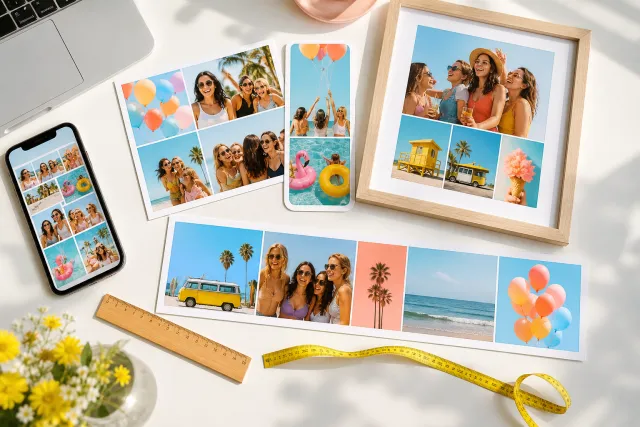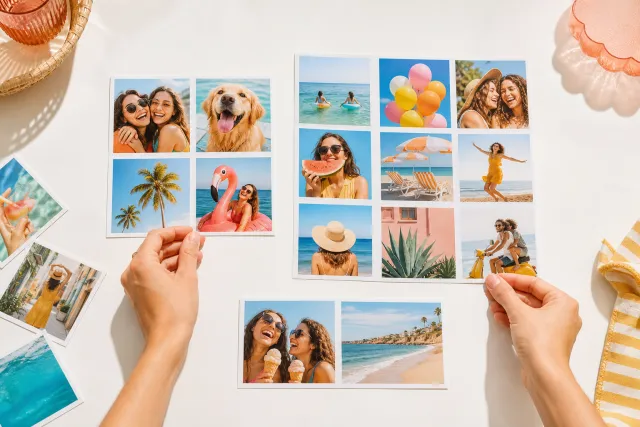
Facebook cover photo collage templates
A cover photo is the only image on this site that is cropped differently on every device from the same file. Design for the rectangle that survives all of them and it stops being a problem.
Cover 820x312
Facebook does not resize your cover, it re-frames it. Desktop shows a wide strip, mobile shows a narrower and taller one cut from the middle of the same image, and the profile picture sits on top of the lower left on both. A collage that ignores that arrives with a face behind an avatar and its ends chopped off. The fix is a single rectangle, described below.









Made with StudioCollage
Every collage below was made in the editor itself, at full resolution. Open one to start from it.
 Open in the editor
 Open in the editor
 Open in the editor
 Open in the editor
 Open in the editor
 Open in the editor
 Open in the editor
 Open in the editor
 Open in the editor
 Open in the editor
 Open in the editor
 Open in the editor
 Open in the editor
 Open in the editor
 Open in the editor
 Open in the editor
 Open in the editor
 Open in the editor
 Open in the editor
 Open in the editor
 Open in the editor
 Open in the editor
 Open in the editor
 Open in the editor
 Open in the editor
 Open in the editor
 Open in the editor
 Open in the editor
 Open in the editor
 Open in the editor
 Open in the editor
 Open in the editor
 Open in the editor
 Open in the editor
 Open in the editor
 Open in the editor
 Open in the editor
 Open in the editor
 Open in the editor
 Open in the editor
1. The same file, three different crops
Upload 851 x 315 and this is what each device actually shows.
| Device | Shows | Loses |
|---|---|---|
| Desktop | The full 851 x 315 | Nothing, but the avatar covers the lower left |
| Mobile | A centre strip, roughly 640 wide | About 100 px from each side |
| Small phones | Narrower again | Up to 130 px per side |
So the ends of the image are decoration and nothing else. Anything that must be seen belongs in the middle 600 px.
2. The rectangle that survives everything
One rule replaces all of the above.
Keep everything that matters inside the middle 600 x 315, and keep the lower left 180 x 180 clear. The first survives the mobile crop; the second stays out from under the profile picture.
What that means in practice for a collage: a row of five cells is wrong, because cells one and five are cut on a phone. Three cells across the middle with colour running out to the edges is right. The templates here are built that way, so the composition holds on every device and the ends simply extend it.
3. Why covers look soft
Facebook compresses covers harder than almost anything else it hosts, and 851 x 315 is a small canvas to begin with.
- Upload at exactly 851 x 315, or at exactly double, 1702 x 630, which some accounts serve to high density screens. Anything in between is resampled twice.
- Export as PNG rather than JPEG if the collage has flat colour areas or borders. Facebook re-encodes either way, but it starts from a cleaner source.
- Avoid small text and thin borders. At 315 px tall, a hairline between cells is one or two pixels and compression removes it, so cells bleed into one another.
4. What actually works in a strip that shape
851 by 315 is a very wide, very short frame, which is unlike anything else people photograph. Three approaches hold up.
A row of three squares in the middle, colour to the edges. The most reliable, and the one that survives every crop.
One panoramic photo, if you have one. A landscape, a skyline, a group standing in a line. It is the only case where the full width is used honestly.
A texture with one photo offset right, leaving the lower left clear for the avatar. Deliberately asymmetric, and it looks intentional rather than like a photo that has been cropped.
What does not work: a tall photo, a portrait, or anything with a subject that needs vertical room. There are only 315 pixels of it.
5. Make one
Pick a template above and it opens at 851 x 315 with the safe rectangle already respected. Drop photos into the middle cells, let the background carry the ends, and export.
The full walkthrough with the avatar overlap measured is in the Facebook cover guide. Other destinations: Instagram posts, stories and print.
Questions about Facebook cover collages
What size is a Facebook cover photo?
851 x 315 pixels, or exactly double at 1702 x 630 for high density screens. Anything between those two gets resampled twice and arrives soft. Facebook does not resize a cover so much as re-frame it, so the size is only half the answer.
Why is my Facebook cover cropped on mobile?
Because mobile shows a narrower strip cut from the middle of the same file, losing roughly 100 px from each side and up to 130 on small phones. Nothing you upload prevents it. Keep everything that matters inside the middle 600 x 315 and the ends become decoration rather than loss.
Where does the profile picture cover the cover photo?
The lower left, roughly a 180 x 180 area on desktop. Keep that corner clear of faces and anything you want read. A deliberately asymmetric composition, with the photo offset right, looks intentional instead of accidentally covered.
Why does my cover look blurry?
Covers are compressed harder than most images on Facebook and the canvas is only 315 px tall to begin with. Upload at exactly 851 x 315 or exactly 1702 x 630, prefer PNG when the collage has flat colour or borders, and avoid hairline gaps between cells, which compression erases.
What kind of collage suits a cover?
A row of three squares across the middle with colour running to the edges, which survives every crop. A single panoramic photo if you have one. What does not work is anything tall: there are only 315 pixels of height, so a portrait has nowhere to go.