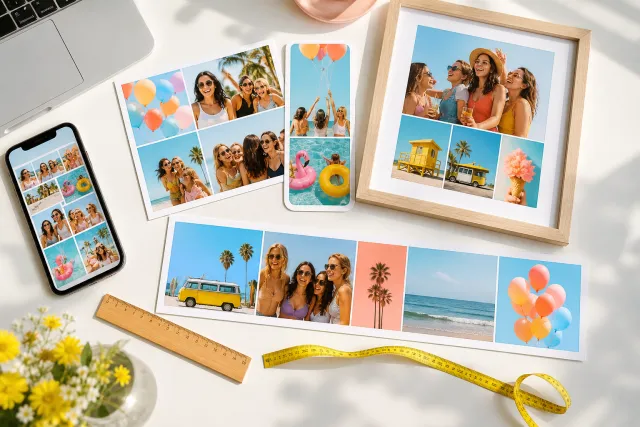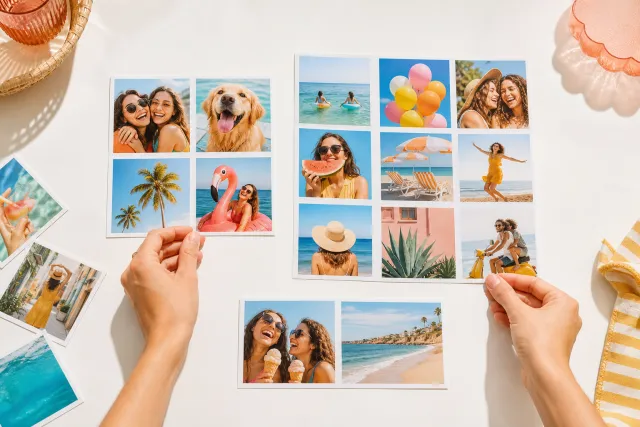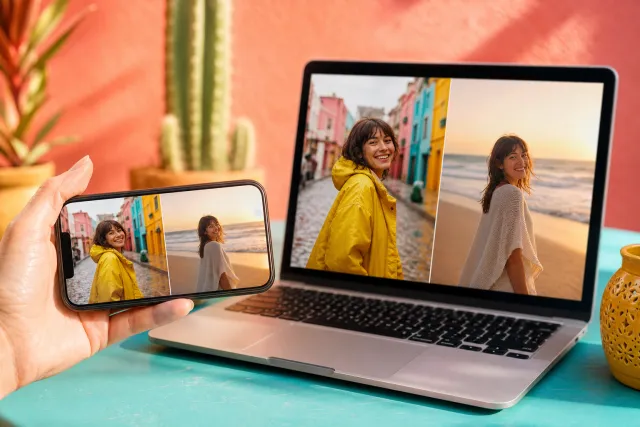
Instagram photo collage templates
Instagram re-crops and re-compresses everything you give it. These templates start at the sizes it keeps, so the collage you export is the collage people see.
Square post 1080x1080
Portrait post 1080x1350
Story 1080x1920
Nearly every collage that looks wrong on Instagram was made at the wrong size and cropped on the way in. The fix is not a filter, it is choosing the frame before you place the first photo. Below, the four frames Instagram actually uses, what each one keeps, and what it eats.


Made with StudioCollage
Every collage below was made in the editor itself, at full resolution. Open one to start from it.
 Open in the editor
 Open in the editor
 Open in the editor
 Open in the editor
 Open in the editor
 Open in the editor
 Open in the editor
 Open in the editor
 Open in the editor
 Open in the editor
 Open in the editor
 Open in the editor
 Open in the editor
 Open in the editor
 Open in the editor
 Open in the editor
 Open in the editor
 Open in the editor
 Open in the editor
 Open in the editor
 Open in the editor
 Open in the editor
 Open in the editor
 Open in the editor
 Open in the editor
 Open in the editor
 Open in the editor
 Open in the editor
 Open in the editor
 Open in the editor
 Open in the editor
 Open in the editor
 Open in the editor
 Open in the editor
 Open in the editor
 Open in the editor
 Open in the editor
 Open in the editor
 Open in the editor
 Open in the editor
1. The sizes Instagram actually uses
Instagram accepts almost anything and then makes it fit, which is where the damage happens. These are the frames it does not touch.
| Where | Export at | Ratio | What happens otherwise |
|---|---|---|---|
| Feed post, tall | 1080 x 1350 | 4:5 | Anything taller is cropped top and bottom |
| Feed post, square | 1080 x 1080 | 1:1 | Safe everywhere, but gives up a third of the feed height |
| Story or reel cover | 1080 x 1920 | 9:16 | A 4:5 collage gets bars or a hard crop |
| Carousel | 1080 x 1350 | 4:5 | The FIRST slide sets the ratio for all of them |
4:5 is the one to default to. It is the tallest a feed post can be, so it takes the most screen, and a square collage placed in a 4:5 frame simply sits inside it, which is not true the other way round.
2. What sits on top of your collage
Nothing is cropped in a story, but a lot is covered. The interface is drawn over your image and it never moves.
- Top 250 px of a story: the profile row, the close button, the progress bars.
- Bottom 320 px: the reply box, the share and like controls.
- Right edge, roughly 100 px: the vertical action column on reels.
So a nine cell grid in a story loses its top and bottom rows to the interface. Either use fewer cells, or take a layout with a deliberate margin and let the collage float in the middle of the frame.
The feed is kinder: nothing covers a post. But the profile grid crops every post back to a square thumbnail from the centre, so a 4:5 collage loses its top and bottom bands there. If the profile grid matters to you, keep the subject central even in a tall collage.
3. Why it came out blurry
Instagram re-encodes every upload. You cannot stop it, but you can stop feeding it something it has to resize first, which is what causes most of the mush.
- Export at exactly 1080 wide. Not 2160, not 1200. Anything wider is downscaled by their encoder, which is worse than downscaling it yourself.
- Avoid thin lines and small text in a collage destined for the feed. Their compression treats fine detail as noise and smears it.
- Fewer, larger cells survive better than many small ones. Compression damage is per area, so a small cell loses proportionally more.
4. Collages across a carousel
A carousel is where collages get interesting, because you are no longer limited to one frame. Two ways that work.
One collage per slide. Each slide is a complete grid, all at the same ratio. Reliable, and the ratio of slide one is what the whole carousel gets, so set that one first.
One image cut across slides. A panorama split into three 4:5 slices so swiping pans across it. Effective, and unforgiving: the slices must be exact, because Instagram will not align them for you.
The trap in both: a carousel where slide one is square and the rest are 4:5 shows the others letterboxed. Export the whole set at one size.
5. Make one
Pick a template above and it opens at that exact size. Drop your photos in, arrange, download at 1080 wide, upload. No account, no watermark, and nothing is uploaded to us: the editor runs in your browser.
Other destinations, with the same treatment: stories, Facebook covers and print. The full table of every size is in the sizes guide.
Questions about Instagram collages
What size should an Instagram collage be?
1080 x 1350 for a feed post, which is 4:5 and the tallest the feed allows. 1080 x 1080 if it also has to look right in your profile grid. 1080 x 1920 for a story. Export at exactly 1080 wide rather than larger: anything wider is downscaled by Instagram, and their encoder is worse at it than yours.
Why does my collage look blurry on Instagram?
Almost always because it was uploaded wider than 1080 px and Instagram resized it, or because it has many small cells and fine detail that their compression treats as noise. Export at exactly 1080 wide, and prefer fewer larger cells for anything going to the feed.
Why is my collage cropped in my profile grid?
The profile grid shows every post as a centre square thumbnail, whatever the post ratio. A 4:5 collage loses its top and bottom bands there while looking correct in the feed. If the grid matters, keep the subject central.
What gets covered by the interface in a story?
Roughly the top 250 px and the bottom 320 px, plus about 100 px on the right for the action column on reels. Nothing is cropped, but anything in those bands is hidden behind controls. A nine cell grid loses its top and bottom rows.
Can I make a collage carousel?
Yes, and the rule that matters is that the first slide sets the ratio for all of them. Export every slide at the same size, usually 1080 x 1350. You can also cut one wide image into slices so that swiping pans across it, but the slices have to be exact because Instagram will not align them.