The best free collage maker: four checks that decide it in two minutes
Every collage maker calls itself free, and the word covers four very different things. Some add a watermark, some hand you a small file, some ask for an account before you see the editor, and most upload your photos to a server. Those four answers decide which tool is right for you, and you can get all four in about two minutes without reading a single review. Here is how, plus what each tool states on its own pricing page.
1. The short answer
Four questions decide it. Ask them of any tool before you spend an hour arranging photos in it.
| The check | Why it decides | How long it takes |
|---|---|---|
| Does the free export carry a watermark? | A watermark makes the collage unusable for a print or a gift, and you only see it after the work. | 1 min, export one test collage |
| What size do you actually get? | A capped export looks fine on a phone and soft on paper. Print is where it shows. | 10 s, read the file properties |
| Do you have to sign up? | Some tools only ask at the download step, after the work is done. | 10 s, open it in a private window |
| Do your photos leave the device? | Matters for photos of children, documents, anything private. | 30 s, browser network panel |
Be clear about one thing before reading on: StudioCollage is our own tool, so we are not going to rank ourselves against the others. What follows is the method and the facts each vendor publishes. Run the four checks and you will not need anyone else's opinion, including ours.
2. Check 1: the watermark
This is the one that ruins the afternoon. You lay out twelve photos, get the crops right, hit download, and a logo sits across the corner. On most tools the watermark is not mentioned until the export dialog.
Two of them do say it clearly on their pricing page, and they deserve credit for it. Kapwing lists "Unlimited exports with a watermark" for the free plan. Fotor lists "Watermarked JPG, PNG & PDF Exports" for its free tier. If a watermark is a dealbreaker for you, those two have told you in advance.
The rest do not state it either way on the page we checked, which is not an accusation, only a fact: you have to test. A watermark is also the easiest thing to check, because it takes one export.
Vendor wording quoted from each pricing page, checked 2026-08-23. Free tiers change often; the test below does not.
Let Auto lay them out, then fix what you want.
Free, no watermark, and your photos stay on your device.
Open StudioCollage3. Check 2: the size you actually get
A collage that looks perfect in the editor can arrive as a small file. It will still look fine on a phone screen, which is why this one goes unnoticed until you print it and the faces are soft.
What you want depends on where the collage goes:
- Instagram post: 1080 x 1080, or 1080 x 1350 for a portrait.
- Story or reel: 1080 x 1920.
- 8 x 10 inch print at 300 DPI: 2400 x 3000. This is where a capped export shows.
- Phone wallpaper: your screen size, 1179 x 2556 on a recent iPhone.
Do not read the preview, read the downloaded file. On Windows, right click, Properties, Details. On a Mac, select the file and press Command and I. The pixel dimensions are the answer. Every size for every destination is in photo collage sizes.




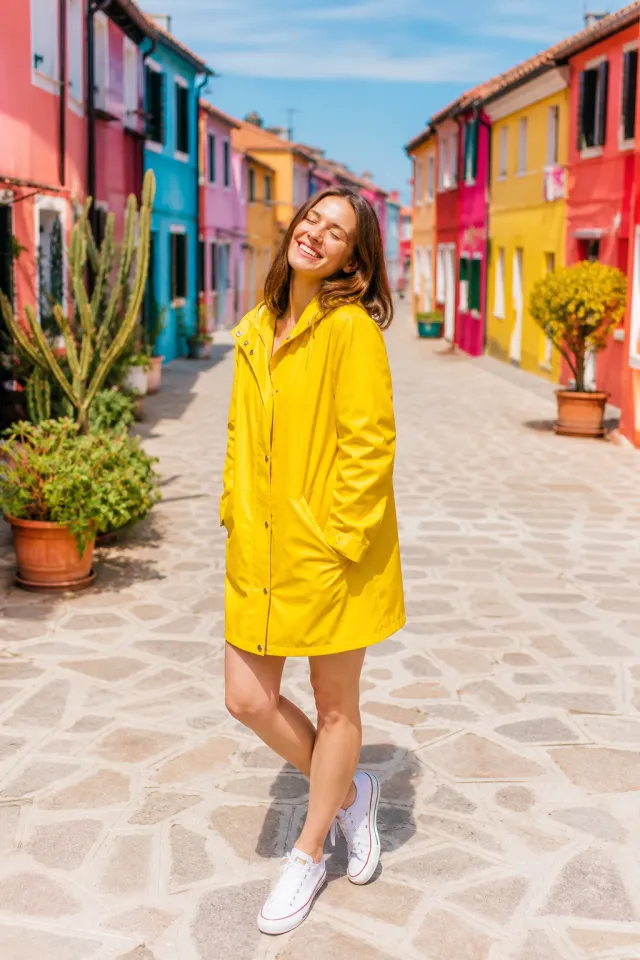


The same photos at post size and at print size. On screen they are identical; on paper only one of them holds.
4. Check 3: the account
Signing up is not automatically bad, it is how a tool saves your work between sessions. What is worth knowing is when you will be asked. Being asked at the start is honest. Being asked after you have arranged twelve photos, with the work held hostage behind the form, is not.
Kapwing puts the sign-in at the door: its pricing page starts you with a link to a sign-in page. That is the transparent version.
The ten second test: open the editor in a private or incognito window, with no session. Drop in one photo. If you reach an export button without being asked who you are, the tool works without an account. If a form appears, you now know before investing the time rather than after.
5. Check 4: where your photos go
This is the check almost nobody runs, and the one with the longest consequences.
Most online editors do the work on their servers, which means your photos are uploaded, stored for some period, and covered by terms you did not read. For holiday snaps that is usually fine. For photos of children, for a document you are cropping, for anything you would not put in an email to a stranger, it is worth knowing.
A browser based editor does the work on your machine with the canvas, and the photos never leave it. Both designs are legitimate; they are just different, and the difference is invisible unless you look.
The thirty second test, and it works on any tool:
- Open the editor, then press F12 (or Command, Option and I on a Mac) to open developer tools.
- Click the Network tab and clear it.
- Add one photo to the collage.
- Look at the list. A request of roughly your photo's size, going out to their domain, means the file was uploaded. Nothing of that size means the editing is local.
You do not need to understand the rest of the panel. You are looking for one thing: did a few megabytes leave, right when you added a few megabytes.
6. What each tool publishes about its free tier
We checked the pricing page of each tool on 2026-08-23 and recorded only what it states. Blank is not a criticism, it means the page does not say and you should run the test.
| Tool | What the pricing page states about the free tier |
|---|---|
| Kapwing | "Unlimited exports with a watermark", "720p video quality", and a sign-in to start |
| Fotor | "Watermarked JPG, PNG & PDF Exports"; resolution, export limits and account not mentioned |
| BeFunky | Free tier marked "Limited" for collages and templates; watermark, resolution and account not mentioned |
| Pixlr | No free tier listed on the pricing page; four paid plans only |
| Canva, Adobe Express, Picsart | Nothing we could confirm on a public pricing page; run the two minute test |
| StudioCollage (ours) | No watermark, no account, full resolution export, and nothing uploaded: the editor runs in your browser |
Two honest caveats. First, free tiers change, sometimes monthly, so a table is a snapshot and the test is the durable answer. Second, a tool that publishes its limits plainly is doing something right, even when the limit itself is one you do not want.
7. The two minute test, start to finish
Run this on any candidate. Same photo, same steps, and the tools sort themselves.
- 0:00 Open the editor in a private window. Keep one test photo handy, ideally a large one from a real camera or phone.
- 0:10 Open developer tools, Network tab, and clear it.
- 0:20 Add the photo. Watch for an outgoing request the size of the file. That answers check 4.
- 0:40 Add two more photos, pick any layout. You are not making art, you are making a test file.
- 1:10 Look for the export or download button. If a sign-up form appears first, that answers check 3.
- 1:30 Download. Open the file. A watermark answers check 1.
- 1:50 Read the pixel dimensions in the file properties. That answers check 2.
Two minutes, four answers, no reviews. And the same test works next year, when every free tier in the table above has changed.
8. Make it
If your answer to the four checks is no watermark, full size, no account, and nothing uploaded, that is what StudioCollage does, and we would rather you verify it with the test above than take our word for it. Add photos, pick a layout or press Auto and let the generator lay them out around the faces, then download at the size you chose.
If you need a stock library, a brand kit or team folders, one of the bigger tools is genuinely the better answer and a paid tier may be worth it. A collage is not what those subscriptions are for.
Next: every collage size in pixels, how many photos to use, and how to make one without installing anything.
Frequently asked questions
Which free collage maker has no watermark?
Several, but you have to check rather than trust the word free. Kapwing states plainly that its free plan gives "Unlimited exports with a watermark", and Fotor lists "Watermarked JPG, PNG & PDF Exports" for its free tier. Others do not say either way on their pricing page, which is why the two minute test below exists: export one collage and look at the file. StudioCollage, which is our own tool, never watermarks.
Do I need an account to make a collage?
On many tools, yes, and you usually discover it at the download step rather than at the start. Kapwing sends you to a sign-in page to begin. The check takes ten seconds: open the editor in a private window and see how far you get before something asks who you are.
Are my photos uploaded to a server?
On most online tools, yes, because the editing happens on their machines. That is not sinister, it is how a server-side editor works, but it matters if the photos are of children, documents or anything you would not email. A tool that edits in the browser never sends them. You can tell in thirty seconds with the browser network panel, see the test below.
What resolution should a free collage export at?
Full size for the destination you picked: 1080 pixels wide for Instagram, 2400 x 3000 for an 8 x 10 inch print at 300 DPI. Some free tiers cap the export well below that, which only shows up when you print. Check the pixel dimensions of the downloaded file, not the preview.
Is a paid collage maker worth it?
For a collage, rarely. The paid tiers of these tools mostly buy stock libraries, brand kits, cloud storage and AI credits, none of which change the collage itself. If you are paying, pay for what you will actually use, not to remove a watermark that other tools do not add.