Memorial photo collage ideas: a respectful guide for a service, a slideshow or a keepsake
A memorial collage is usually made in the two or three days before a service, by someone who has better things to carry than a design problem. This guide is meant to be practical: which photos, which layout, what size for the easel or the screen, and where to print it by tomorrow. Take what helps and leave the rest.
1. Choosing the photos
Start with one portrait: recent, clear, the face people will recognize from the doorway. That photo gets the largest cell. Around it, choose photos that show a life rather than an illness: different ages, the people they loved, the places and the things they did, a laugh if you have one. Nine to sixteen is plenty for a board; a slideshow can take the rest.
Old prints photographed with a phone in daylight, on a flat surface, work well. Crop out the borders, keep the fading; it reads as time, not as a flaw.
2. Layouts that honor one person
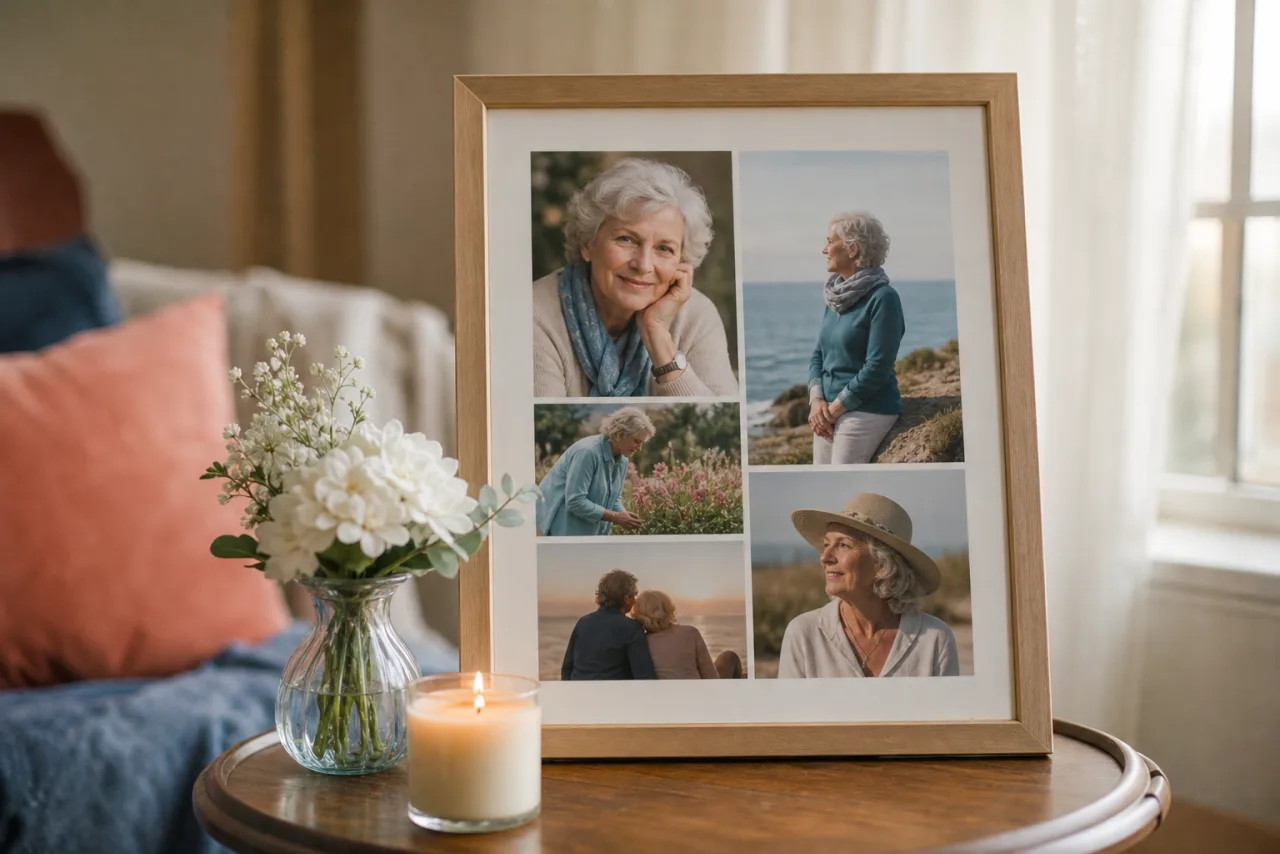
- The portrait and the life. The portrait in a large cell at the top or on the left, the other photos in a grid below or beside it. The most common board layout, and the one that reads best from the chairs.
- The timeline. Childhood to last years in a row or two, in order. Works for a long life; keep the cells equal and the faces at the same height.
- The people. The person with each of the people who will be in the room: the spouse, each child, the grandchildren, the friends. A 3x3 grid, the portrait in the center cell.
- The places. The house, the garden, the boat, the church, the workshop. Landscapes in a 2x2 or 3x2 grid, the portrait small in one corner cell.
- A heart of photos. For a keepsake card or a small print, a heart filled with many small photos. Better with twenty or more than with six.









The portrait over the life, and the people around the portrait. Quiet gaps, no decoration.
Let Auto lay them out, then fix what you want.
Free, no watermark, and your photos stay on your device.
Open StudioCollage3. Keeping it quiet
- White or a soft neutral between the cells. No patterns, no stickers, no colored borders; the photos are the color.
- One font, a serif or a clean sans-serif, for the name and the dates, in a text cell or a band along the bottom. Nothing on the faces.
- Equal gaps and aligned faces. A tidy grid looks cared for; a scrapbook look can read as rushed in this context.
- Black and white is an option when the photos span decades and their colors fight. Convert all or none.
4. Sizes for the board, the program and the screen
| Use | Size | Layout |
|---|---|---|
| Easel board, 16 x 20 | 2400 x 3000 at 150 DPI | Portrait and the life, 9 to 13 photos |
| Easel board, 20 x 30 | 3000 x 4500 at 150 DPI | Portrait and the life, or a timeline, up to 16 |
| Program cover or card, 5 x 7 | 1500 x 2100 at 300 DPI | Portrait and three or four |
| Keepsake print, 8 x 10 | 2400 x 3000 at 300 DPI | 3x3 with the portrait in the center |
| Slideshow screen or TV | 1920 x 1080 | Two to four photos per slide, the portrait alone on the first |
| Online tribute page or social post | 1080 x 1350 | Portrait and the life, 5 to 7 photos |
A board seen from a few feet does not need 300 DPI; 150 is enough and lets old, small photos fill larger cells. For anything held in the hand, keep 300. How to print a photo collage has the margins and the file settings.
5. Printing it by tomorrow
- Drugstore photo counters (Walgreens, CVS, Walmart): 8 x 10 and 11 x 14 in about an hour, posters up to 20 x 30 in a day. Upload the file on their website or app and choose the size you designed; ask for no auto-correction.
- A local print shop can print and mount on foam core the same day, which is what an easel needs. Call first with the size.
- The funeral home often prints the program and sometimes the board; send them the file at the size they ask for.
- A home printer for the program cover or a few 5 x 7 cards, on matte photo paper.
6. Making it
If you would rather not learn a tool this week: open StudioCollage in the browser, choose the print size, add the photos and press Auto. It proposes several quiet layouts with the faces whole and centered; choose the one with the portrait largest, add the name and the dates, and download. There is no account and no watermark, and the photos stay on your device. The family templates include the portrait-and-grid layouts.
For the slideshow, export two or three versions of the collage with different photos at 1920 x 1080, and let the screen cycle through them; or give each photo its own slide and keep the collage for the easel.
Frequently asked questions
How many photos should a memorial collage have?
Nine to sixteen for a display board seen from a few feet, one portrait plus four to eight for a program or a card, and for a slideshow as many as you like, a few at a time per slide. One clear, recent portrait should be larger than the rest.
What size is a memorial board?
16 x 20 or 20 x 30 inches on foam core for an easel. At 150 DPI, which is enough for a board seen from a distance, that is 2400 x 3000 or 3000 x 4500 pixels. Drugstore photo counters print posters in a day; many funeral homes have an easel.
Where can I print a memorial collage quickly?
Walgreens, CVS and Walmart photo counters print 8 x 10 and 11 x 14 in about an hour and posters in a day; upload the file on their site and pick the size you designed. A local print shop can mount it on foam core the same day.
Can I use old printed photos?
Yes. Photograph each print flat in daylight with a phone, or scan it; a slightly soft old photo looks right in a collage next to sharper recent ones. Give the old photos smaller cells and the portrait the big one.
Should the collage have text?
The name and the dates, in one quiet font, in a text cell or a band at the bottom. Nothing else is needed; a short line from a favorite song or verse is fine if the family wants one.