Pet photo collage ideas: 20 layouts for dogs, cats and everyone else
You have more photos of your pet than of anyone else, and most of them are the same pose from a slightly different angle. A collage is how those photos become one picture worth framing. Twenty ideas, each with the layout and the number of photos, from the classic four moods to the full year of a puppy.
1. One pet: 8 ideas
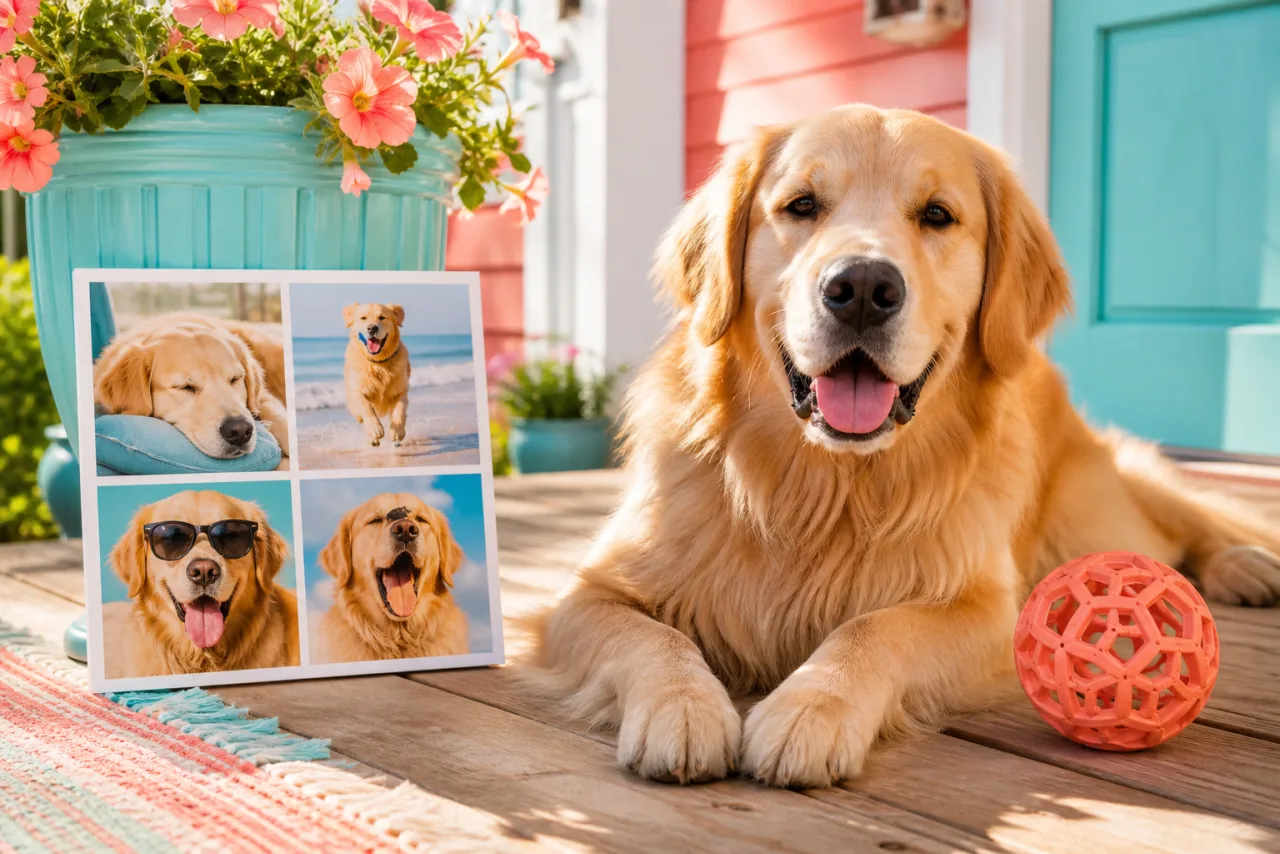
- Four moods. Asleep, alert, mid-run, mid-yawn. A 2x2 grid, four photos, the same background if you can. The classic.
- The portrait and the details. The face big, the paws, the tail and the nose small. One big cell with three small ones, four photos.
- Through the seasons. The same spot in spring, summer, fall, winter. 2x2 grid, four photos, ordered by season.
- The puppy year. One photo a month, 4x3 grid, twelve photos. The size change between cell one and cell twelve is the whole story.
- Adoption day, then and now. The shelter photo on the left, today on the right. Two photos side by side, equal cells, same framing if you can stage it.
- The walk. A strip of four landscapes from the same route: the gate, the park, the river, the way home. Four columns.
- Nine faces. Nine close-ups of the same face, different expressions, in a 3x3 grid. Works for cats best.
- The sleeping positions. Six cells of six different contortions. 3x2 grid, six photos, captions optional and tempting.



Four moods (2x2 grid) and the portrait with details (big and two). Put the face in the cell with the most room.
2. Several pets: 4 ideas
- The household. One cell per pet, same crop, eyes on the same line. Two side by side, three in columns, four in a 2x2 grid.
- The group and the solos. The rare photo of all of them together as the hero, each one alone in the small cells. Magazine layout, hero plus three or four.
- Cat versus dog. A two-column strip: the cat's day on the left, the dog's day on the right, four photos each in stacked cells. 2x4 grid, eight photos.
- The new arrival. The old pet, the new pet, and the first photo of them together. Three cells, the pair big.
Let Auto lay them out, then fix what you want.
Free, no watermark, and your photos stay on your device.
Open StudioCollage3. Occasions: 5 ideas
- The gotcha day card. Four photos of the year in a 2x2 grid and a text cell with the date, printed at 5 x 7.
- The birthday. The hat, the cake (the dog-safe one), the face, the nap after. 2x2 grid. See the birthday collage ideas for the human version.
- The holiday card. One great photo of the pet in a big cell, three smaller ones of the family, a text cell for the greeting. Magazine layout, printed as a card.
- The vacation. The pet in every place you went: the car, the beach, the cabin, the diner. A 3x2 grid of six, landscapes.
- The memorial. The best portrait big, the life in a row of small cells below, in order. Hero over a row, five to seven photos, printed for the shelf. Sober, no stickers.
4. For the feed and the wall: 3 ideas
- The wallpaper. A 3x3 of the pet for the phone lock screen, with a calm cell (the blanket, the floor) under the clock. See collage wallpapers for the exact sizes.
- The story strip. Three photos stacked at 9:16 for an Instagram story: the morning face, the afternoon nap, the evening zoomies.
- The one-color collage. Six photos where the pet is the only warm color against cool backgrounds (the golden dog on green grass, blue sofa, gray sidewalk). 3x2 grid, very calm.




Nine faces in a 3x3 grid, and a three-photo story strip. The grid is also the wallpaper idea.
5. Three rules for pet photos in a grid
- Eyes on the same line. The grid reads when the eyes sit at the same height in every cell. Reframe each cell rather than cropping the originals.
- Crop tight. A pet is small in most photos. In a cell, fill it with the head and shoulders; the background can go.
- Let auto do the faces. Auto collage detects faces including muzzles, keeps them whole, and balances the colors, which helps when four photos of the same dog are four different light conditions.
6. Make it in two minutes
- Open StudioCollage, pick the destination: post, story, 8 x 10 print, wallpaper.
- Add the photos. Press Auto and pick the proposal closest to the idea, or choose the layout from the pet templates.
- Reframe each cell on the face, set a thin gap or none, pick a background color from the fur or the collar.
- Add a name or a date if you want one, and download without watermark.
Sizes for every destination are in photo collage sizes; the count per layout in how many photos to put in a collage.
Frequently asked questions
How many photos should a pet collage have?
Four for the classic moods grid, six to nine for a year or a personality board, two for adoption day then and now. Pet faces are small, so keep each cell above 355 pixels on a post: a 3x3 grid is the limit for a phone screen.
What is the best layout for a dog collage?
The 2x2 grid for four moods of the same dog, or one big cell with three small ones when one photo is clearly the portrait. For a cat, tall cells suit the sitting pose; for a running dog, wide cells.
How do I keep my pet's face from being cropped?
Reframe each cell so the eyes sit in the upper third, or use auto collage: it detects faces, including muzzles, and never lets a cell cut through one.
Can I make a collage of several pets?
Yes: one cell per pet, same crop, eyes on the same line. Two pets side by side, three in columns, four in a 2x2 grid, and a group photo as the hero cell if you have one.
Can I print a pet collage?
Yes, at 300 DPI: 2400 x 3000 pixels for an 8 x 10 frame. A 2x2 grid gives each photo about 4 x 5 inches on that print, plenty for a phone photo.